
Let your customers order online.
Launch one storefront - or several - and start selling online with ease.
Customize the Web-to-Print workflow to fit the way you sell, and send every order straight into production.


Build an ordering flow around your business
Choose which steps customers go through and arrange them in any order. Remove steps you do not need, add your own, and customize every title and instruction. Create different flows for different product groups, so ordering a printed shirt never feels like ordering a business card.
Ordering built specifically for print shops
Let customers order multiple sizes and colours at once, apply the same artwork to several products, upload a separate file for each print location, and see how many more units they need to reach the next price break.
Guest checkout or customer accounts - you decide
Customers can create an account to save their order history, addresses and artwork, or check out as guests. You control exactly what each type of customer can see and do.
Run multiple storefronts from one system
Launch multiple storefronts, each with its own branding, product catalog, pricing, shipping methods and payment options. Orders from every store flow into the same production system.
Understand how customers use your store
Track the customer journey from the first visit to the completed order. See where customers leave the ordering flow, which products and searches perform best, and why payments fail.
Your catalog. Your brand. Your web address.
Show the products you choose under your own branding and web address, with search and filters built around your categories.
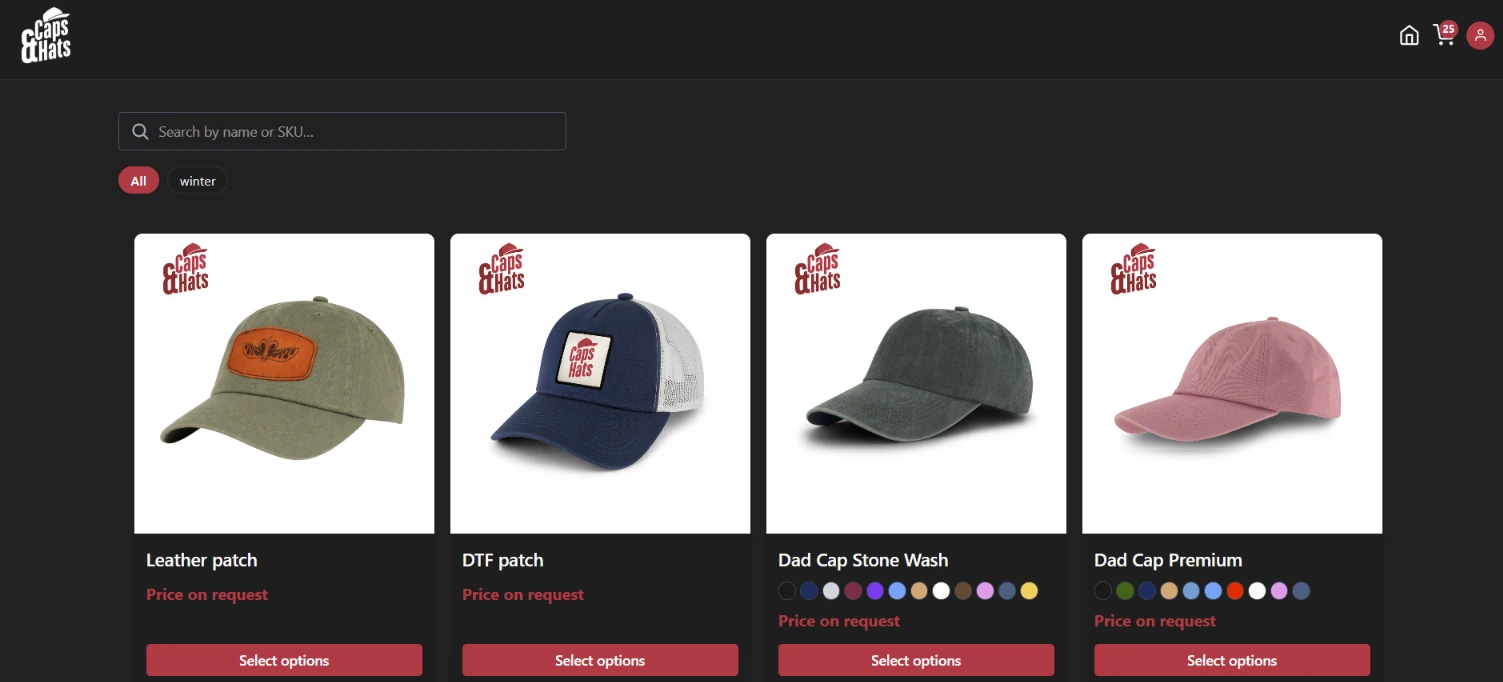
Let customers configure exactly what they need
Show product images, descriptions, available colours and sizes, then guide customers through a clear step-by-step ordering process.
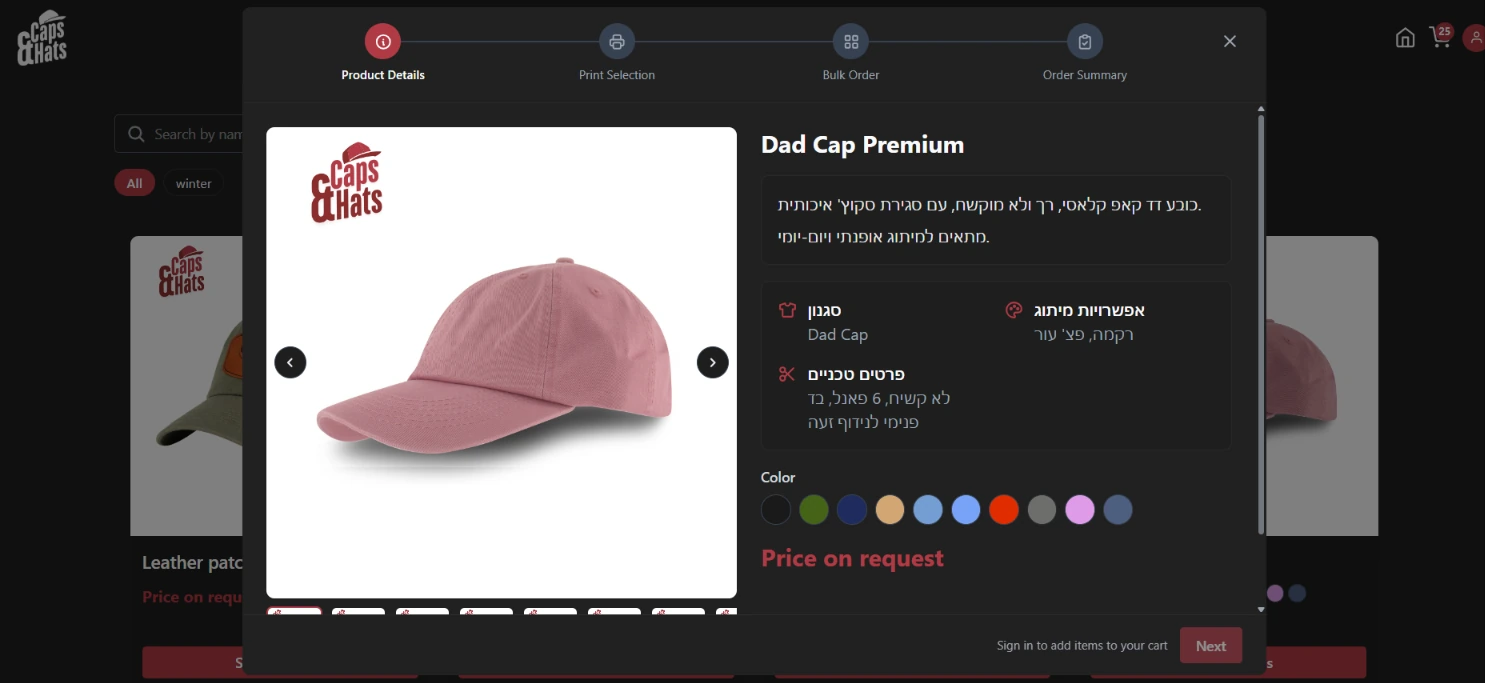
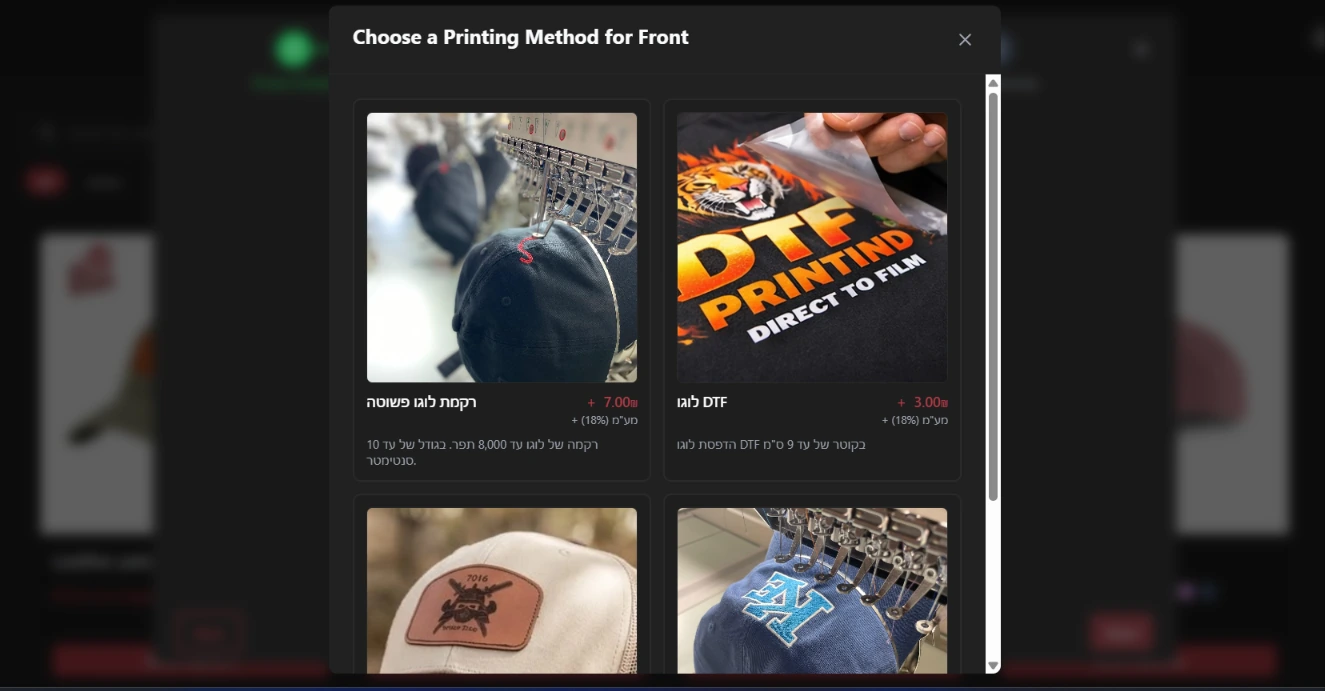
Offer your printing methods, your way
Show the printing methods available for each product and print location, including an image, description and price. Customers can choose embroidery, DTF, screen printing or another method and understand exactly what they are ordering.
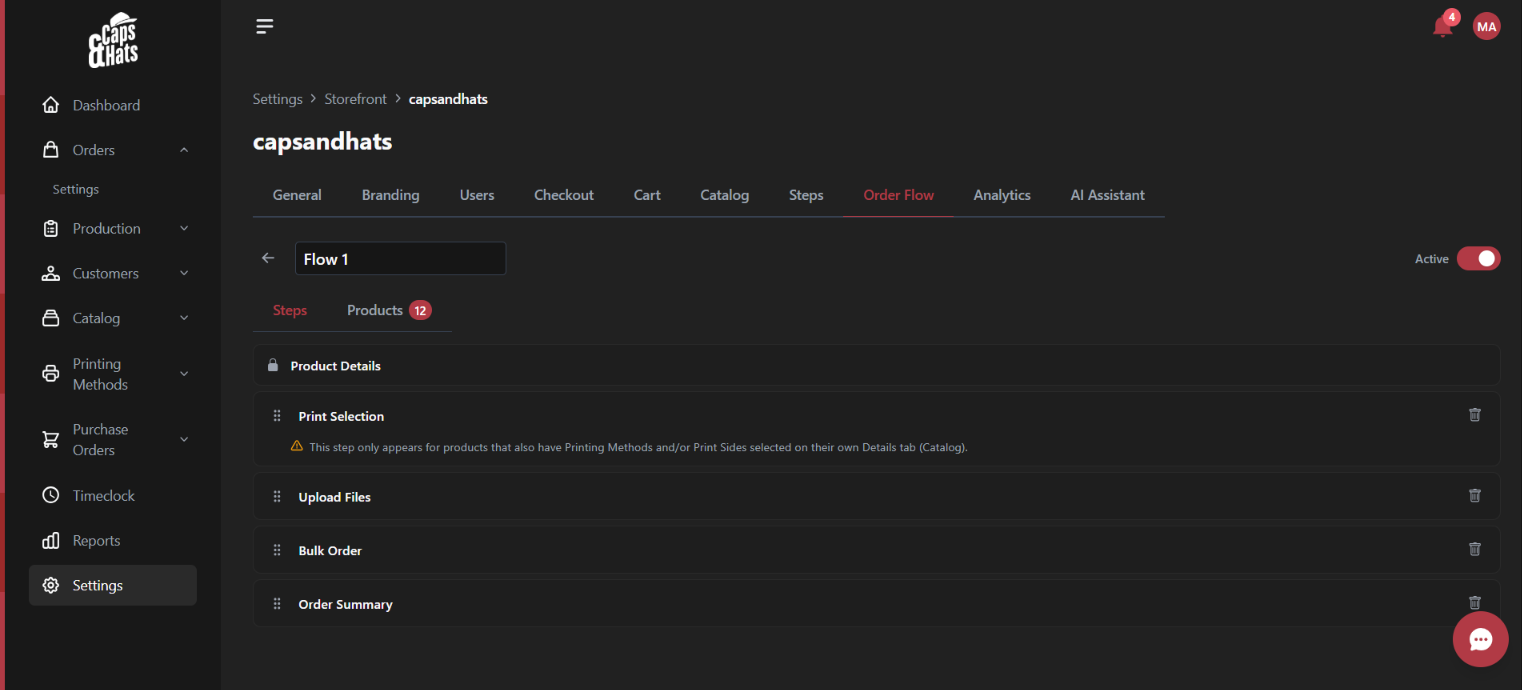
You control every step of the order
Choose which steps appear, arrange them in any order, customize their names and remove anything you do not need. Create a different flow for every storefront or product group.
Questions shops ask
How can customers pay?
Customers choose from the payment methods you set for them in the system. To accept card payments, connect a payment provider to PrintBlocks.
What happens to an order once the customer completes it?
It goes straight into production, following the workflows, statuses and automations you have set up. Every detail of the order, the quantities, the prints and the files are attached to it and ready to work on.
Do we need a separate website?
No. You can run a branded Web2Print store directly from PrintBlocks, with your own web address, catalog and ordering process.
Can we run several stores at once?
Yes. You can run as many stores as you need, each with its own branding, products, prices, payment methods and shipping options. Every order lands in the same management and production system.
Can the ordering process differ between products?
Yes. You decide which steps the customer goes through and in what order. Printed shirts, promotional products, stickers, business cards and any other group of products can each have a process of their own.
Can we show a customer only the printing methods that suit the product?
Yes. You define which printing methods are available for each product and each location, including the description, the price and the options the customer is allowed to choose.
Do customers have to create an account?
No. You can allow guest checkout, account registration, or both. Registered customers can save addresses and files and see their own order history.
Does the price update automatically during the order?
Yes. The price is calculated live from the products, the quantities, the printing methods and the price breaks you have set.
Can different customers see different prices?
Yes. A customer's own agreed prices, allowed payment methods and allowed shipping methods can differ from the store defaults, and the checkout only offers what they are allowed.
Come and see it running in a shop like yours.